

Introduction#
There’s a growing assumption that AI has to live in “the cloud.” The assumption that if you want ‘intelligence’, you rent it from someone else—much like the current US administration. In fact this psudo-intelligence usually hosted on a server farm owned by a multinational company who’s employees you’ll never meet who force you to hand over your data in order to use “industry standard” technology to remain complient !
I don’t buy into that. First of “Industry Standard” is just a euphemism for locked into one of many ecosystems your expected to use and secondly I am the intelligent one in this relationship. Not a maschine that’s essentially just a probability engine strapped to an advanced autocomplete.
So I built my own AI node and cooling system not just to experiment with models, but to take back control over something that’s becoming fundamental – infrastructure and data. This isn’t about rejecting progress, it’s about deciding how I use that progress to my advantage without selling my digal soul to the “machine” of capitalism.
It’s at this point that I should mention I am gawd’damn awful at spellin’ and need to correct most things I type, including this! That’s my main reason for this fun project – fancy autocomplete whilst maintaining privacy without compromising the modern technology we now need to stay competitive.
The Hardware#
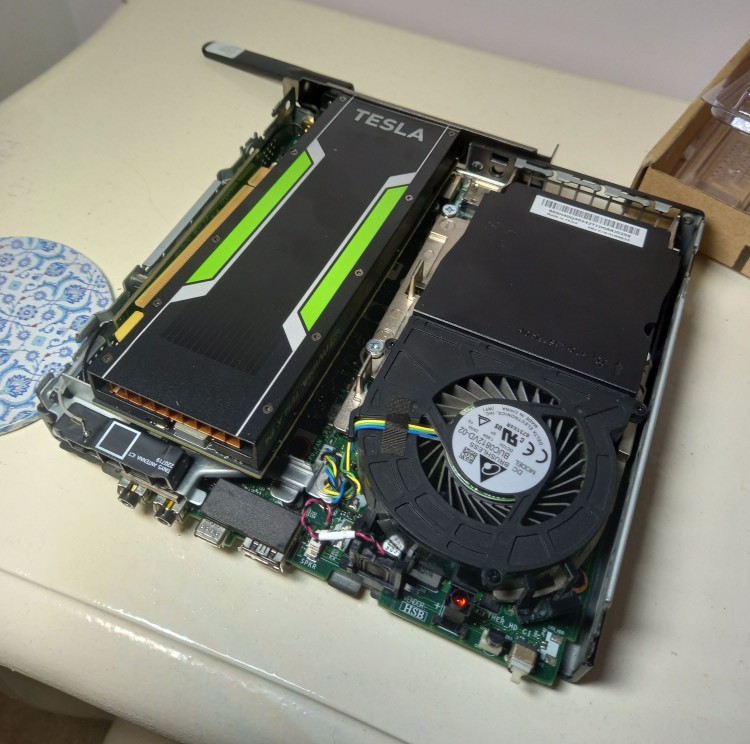
My AI server is a plucky little lenovo m720q with 32gb of ram and a nvme drive, that I bought when ram and storage was as cheap as chips, and not priced like a gold leaf encrusted kebab (that’s a real thing). So far I have managed to run Qwen 2.5, 7B and a Qwen 14b model, although the 14b model is a little slow. That’s the constraints of an older GPU like I have. I don’t want to delve deepe into what I am running in this article, because it will get too long. I am saving the software side of building this for another time.
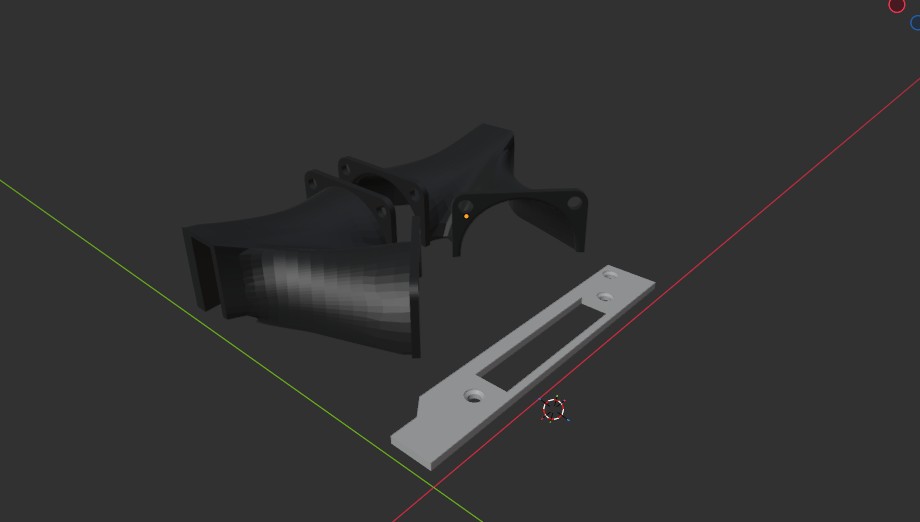
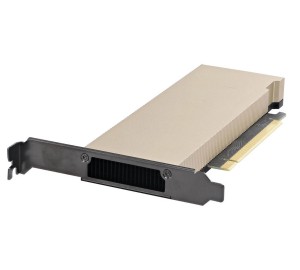
Inside the cool little PC I managed to fit a 75w Nvidia P4. This card was perfect for my needs. It is an old server GPU especially designed for my use – Local affordable AI. With one caveat; being a server grade GPU it needs a separate fan. - Not a problem I do have a degree in design and thus managed to whip up a 3D printed manifold to direct the air across the cooling fins of the card in no time. The specs are below;
Core Specifications
- GPU Architecture: Pascal
- GPU Chip: GP104
- Process Size: 16 nm
- Transistors: 7.2 Billion
- CUDA Cores: 2,560
- Tensor Cores: None
- RT Cores: None Clock Speeds
- Base Clock: 810 MHz
- Boost Clock: 1063 MHz
- Memory Clock: 1502 MHz (6 Gbps effective) Memory Configuration
- Memory Size: 8 GB
- Memory Type: GDDR5
- Memory Bus: 256-bit
- Bandwidth: 192.3 GB/s
- ECC Support: Yes Performance & Compute
- FP32 (Float) Performance: 5.443 TFLOPS
- INT8 Performance: 22 TOPS
- FP64 (Double) Performance: 170.1 GFLOPS (1:32 ratio) Physical & Power
- Form Factor: Low-Profile (Half-Height, Half-Length), Single-Slot
- Bus Interface: PCIe 3.0 x16
- TDP (Power Consumption): 75W
- External Power Connectors: None (Power drawn entirely from the PCIe slot)
- Cooling: Passive Heatsink (Requires host system forced airflow) Media & Display Features
- Display Outputs: None (Headless accelerator)
- NVENC (Video Encode): 2x 4th Generation Engines
- NVDEC (Video Decode): 1x 4th Generation Engine
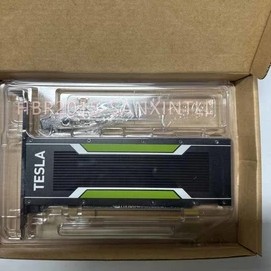
I know you can get better cards, but nothing affordable was avalabke that will fit inside the original case of my tiny pc. I would love a Nvidia L4 but at over £3000 is way too expensive for my budget. so was the more resonable Nvidia P40.
Cooling#
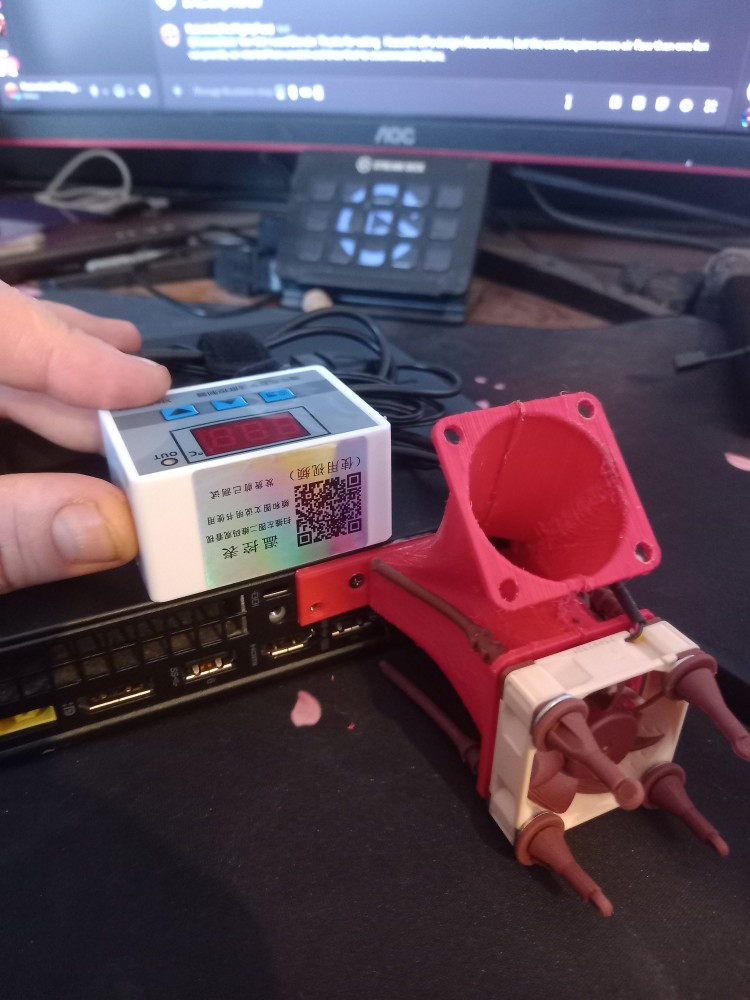
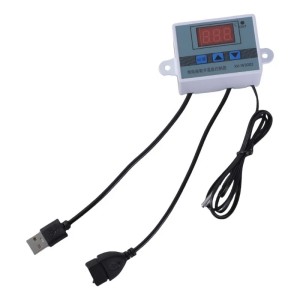
Another problem that needed solving (admittedly more of a personal grevance) was, with the lack of fan headers, the fans would always be on if i wired them directly to the USB. This irritated me, so I installed a special USB relay that switches power on and off depending on temperature. The device has three leads, USB power in, USB power out, and a thermometer. I simply plug the device into one of many USB ports on the back of the Lenovo and the fans into the output, I then feed the thermometer through the manifold I printed, down between the fins of the GPU to accurately measure the temperature. This provides a hacked-together looking but power efficient mini AI server for small office or home use that oonly sacrifices a little bit of air flow. Just remember If you buy one, get the 5v USB version.
GDPR Compliance by Design#
Before I start investigating what AI to use there’s a big Elephant in the room – GDPR. The biggest issue at the moment with cloud-based AI is that you’re never entirely sure what happens to your data. Even when services claim privacy, you’re still sending prompts over the internet, relying on someone else’s storage, or trusting another countries interpenetration of compliance. In the UK the rules are, ‘I’m handling client data, I am the data controller.’ That means I’m legally responsible for how AI fed data is processed, where it is sent and who has access to it. Putting client data into a public AI service, especially a free one introduces real unmitigated risk introducing legal complexity most people want to ignore. The client’s data may be processed outside the UK or EU. The data may be kept for longer than required. Policies may be unclear or insufficient. - Remember “When your using a free service, you (or the data you input) are the product”, therefore third parties will probably gain access to the data used, simply by buying it. Causing a data breach In many cases, that could put companies in breach of GDPR—especially if there isn’t explicit, informed consent or a proper data processing agreement in place. By running everything locally on your own server, you remove many of the grey area or blatantly illegal breaches of UK law. I know where the data lives (on my own hardware). I know that it isn’t being transmitted externally and clients data isn’t being reused or stolen due to firewall settings. I am aiming to eventually educate small companies about the advantages of personal AI and that shoould help mittigate some of the problems with using external AI.
Digital Sovereignty.#
The other pachyderm this project addresses is Digital Sovereignty. Using cloud AI means you are depending on infrastructure you don’t control, you're governed by laws you didn’t vote for (or are illegal in your locale), and policies that can change overnight. That’s not fine in the slightest. Building a local AI node gives me full independence from external platforms, stability in my tooling and confidence that nothing will suddenly disappear behind a larger paywall or API restriction. It’s the same philosophy that drives people toward Linux, open-source software, and self-hosting in the first place. You stop renting your tools and start owning them, essentially as every good democratic socialist knows 'owning the means of production' gives your organisation power. So why can’t I provide this independence for others at a small cost.
Reducing Data Harvesting#
A lot of modern services are built on data collection. Even when it’s anonymised, there’s still value in, usage patterns, prompt structures and behavioural signals. When you use cloud hosted AI, you’re contributing to that ecosystem whether you intend to or not. Running models locally changes that completely. The prompts never leave your system. There’s no telemetry unless you add it and surveillance is difficult. Meaning your IP stays your IP. It’s not about paranoia—it’s about eliminating unnecessary exposure by default and not giving away your companies edge to competitors.
A Maker’s Approach to AI#
Beyond all the serious stuff, there’s another mammoth reason I built this: Because I can. Running AI locally means I can document how I am using it. How I am modifying models, piping commands together and experimenting without worrying I am going to break a production server. It fits naturally into the way I already work - building machines, scripting workflows, and turning ideas into something tangible.
Closing Thoughts#
I fundamentally believe locally hosted LLMs are the future for small businesses and technically-minded individuals. They offer a balance that cloud services can’t: capability without dependency, and data handling without exposure.
On reflection I think this project is about, proving to a wider audience, and prospective employers, once again that I can build, design and control my own infrastructure. It’s also about showing that I understand basic SysAdmin GDPR compliance tasks that pertain to storage and handling data. Also it shows that we need not rely on systems that are outside of our control. When you own your own node you have ultimate control of that data, and even if the internet was switched off, I could still check the spelling or edit the readability on my latest blog post.
Look out for another post detailing how I put the AI models onto this tiny Ubuntu server.