
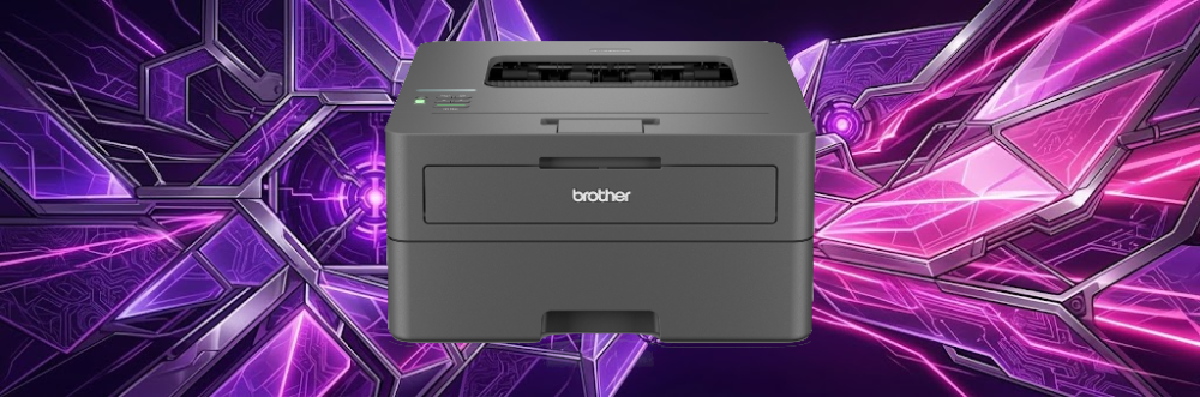

It’s a printer. What do you want me to say?#
How am I supposed to make a Brother toner printer sound interesting?
It prints.
That’s pretty much the job description.
Mine is even more boring; it’s a black-and-white laser printer, so it doesn’t even have the literary excitement of wasting half a cartridge because somebody asked it to print a blue hyperlink, and yet, for something as gloriously boring as a printer, it has turned out to be surprisingly useful.
The first thing I like about it is that it works seamlesly with linux. Thanks in no small part to the CUPS project. You can find out more at the link below;
The second thing I like about it is that it uses toner rather than ink. The standard TN-2510 cartridge is rated for around 1,200 pages, while the high-yield TN-2510XL is rated for up to 3,000.
That’s a lot of pages.
I’ve occasionally wondered whether I should actually test that claim. Perhaps I could print 3,000 pages of Lorem Ipsum and make a pointless video about it.
Would anyone watch that?
Probably.
It would certainly be a very good demonstration of just how much toner 3,000 pages of printing actually represents.
Subscription Service#
It can also connect to Brother’s EcoPro subscription service, which can automatically arrange for replacement supplies to be delivered when you’re running low. Brother offers structured tiers for this depending on your typical monthly usage. If you do not use all of your pages, unused allowance rolls over into the next month.
- Light: Up to 50 pages per month for £2.99
- Occasional: Up to 100 pages per month for £4.49
- Everyday: Up to 300 pages per month for £9.99
- Frequent: Up to 500 pages per month for £16.99
Not only that, but they recycle the old cartrages by allowing you to return them free of charge, and provide an extended warrenty.
I’m not entirely convinced I need a subscription service to remind me that printers eventually run out of toner, but I can see why the toner service and the warrenty would be useful in an office.
Connectivity is a little more interesting.#
The printer supports both 2.4 GHz and 5 GHz Wi-Fi, which is handy for putting it somewhere convenient rather than wherever the nearest network cable happens to be.
I’m disappointed that it doesn’t have an Ethernet port, though.
For a device that is quite happy to sit permanently on a network, I’d much rather plug it in and forget about it than rely on Wi-Fi.
That probably says more about my good homelab habits than it does about the modern printer.
It also supports email printing, which is one of those features that sounds odd until you find a reason to use it. You can send a document to the printer by email, potentially from anywhere in the world.
I don’t know how often I’ll actually need to email a printer from the other side of the planet, but I have to admit that I like the idea of that kind of power at my fingertips.
My favourite feature, however, is much less exotic.
Duplex printing.
It prints on both sides of the paper.
That’s it.
No subscription-based cloud-powered paper management platform.
It just turns the sheet over and prints on the other side.
And honestly, that’s brilliant when your paying for your own paper.
Obviously it halves the amount of paper used for documents that don’t need to be single-sided, and it means I don’t have to stand there feeding sheets back into the printer like some sort of early 2000’s office intern.
Then I looked at the security#
Of course, once you’ve put something on your network, the question becomes:
What else is this thing doing?
This is where my wonderfully boring printer becomes considerably more interesting.
In 2025, security researchers highlighted CVE-2024-51978, a serious vulnerability affecting hundreds of Brother printer models, including models in the HL-L2400 family.
The vulnerability was given a CVSS severity score of 9.8 out of 10.
The problem was related to the way some printers generated their factory administrator passwords.
Rather than giving every printer a genuinely random, unique password, the initial password was generated deterministically from information associated with the individual printer, including its serial number.
That creates an obvious problem.
If somebody can obtain the serial number, they can potentially calculate the factory password rather than having to guess it.
And that’s where CVE-2024-51977 comes into the story.
The companion vulnerability could allow information, including the printer’s serial number, to be obtained over the network through interfaces and protocols used by the printer.
Put those two things together and the attack becomes considerably more interesting:
find the printer → obtain the serial number → calculate the factory password → access the administration interface.
That’s a pretty nasty chain for a device whose primary purpose is putting toner on paper. considdering some models keep backups of previous print-jobs potentially exposing GDPR data to attackers.
The Solution#
There is, however, an important distinction here.
This isn’t a case of “all Brother printers are now remotely hackable”.
The vulnerability relies on the factory credentials.
Once the administrator changes the default password, the predictable factory password is no longer useful to an attacker.
Brother has also released firmware updates addressing the associated information-disclosure issues.
The awkward part is that the underlying factory password-generation mechanism cannot simply be removed from printers already manufactured, because that relationship between the serial number and initial password was built into the original manufacturing process.
In other words, the firmware can fix parts of the problem, but it can’t travel back in time and change how the hardware was originally manufactured.
Which is a rather good reminder that security isn’t just about software updates.
The lesson#
This is probably the bit I find most interesting.
We tend to think about network security in terms of computers, servers, phones and routers.
Printers don’t always get the same attention.
But a modern printer is a networked computer with storage, firmware, network protocols, web administration, authentication and sometimes cloud services bolted onto a mechanism whose original purpose was basically:
put black stuff on white paper.
My Brother printer is therefore a perfect little example of something I keep finding in the homelab.
The small boring things matter.
That cheap little box sitting quietly in the corner is still a computer on my network. It deserves the same basic security considerations as everything else.
So yes, my printer prints in black and white, It does duplex printing, It has Wi-Fi, It can apparently receive documents by email, and with a little imagination I have somehow managed to write an entire article about it.
Perhaps the printer isn’t so boring after all.
Would I buy It again.#
Yes, I would buy it again if I found one cheap enough. As long as you’re sensible about it and keep your technology updated, it should be secure enough to do the job you bought it for in the first place.
You can also use switch or firewall rules to isolate it from the internet, so it can’t access the outside world and the outside world can’t access it.
If you've enjoyed this article and fancy helping keep the servers humming and the tools running, you can find things on the Robin's Lab wishlist . No obligation — reading, sharing, enjoying the articles and disagreeing with me are all completely free. I won't even send you an invoice.